Cloneur de voix IA gratuit & Préréglages TTS
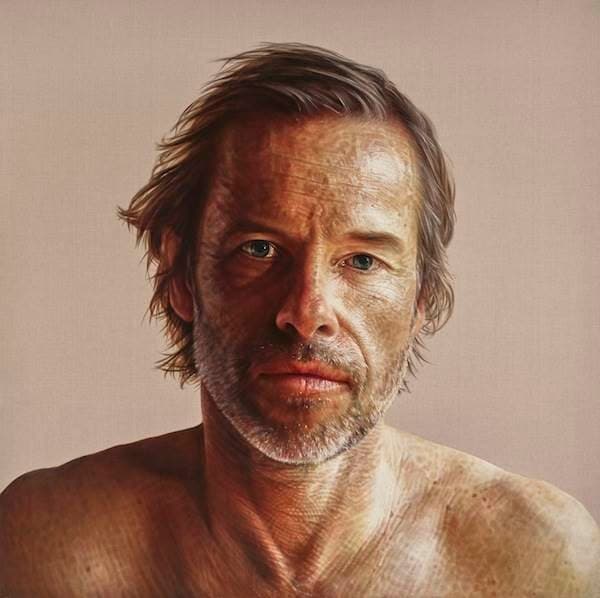
Générateur de voix IA gratuit Guy Pearce
La voix de Guy Pearce est souvent caractérisée comme étant douce et résonnante, apportant une touche sophistiquée à tout projet. Sa polyvalence lui permet de passer sans effort entre des récits dramatiques et des commentaires légers, ce qui en fait un choix populaire pour les voix off créatives.
Les auditeurs trouvent son ton engageant et autoritaire, améliorant à la fois la narration et le message de marque. Avec une capacité innée à transmettre des émotions et de l'intensité, la voix de Pearce peut captiver les audiences dans les films, les publicités et le contenu numérique, donnant vie à toute narration avec une présence captivante.
La voix de Guy Pearce est souvent caractérisée comme étant douce et résonnante, apportant une touche sophistiquée à tout projet. Sa polyvalence lui permet de passer sans effort entre des récits dramatiques et des commentaires légers, ce qui en fait un choix populaire pour les voix off créatives.
Les auditeurs trouvent son ton engageant et autoritaire, améliorant à la fois la narration et le message de marque. Avec une capacité innée à transmettre des émotions et de l'intensité, la voix de Pearce peut captiver les audiences dans les films, les publicités et le contenu numérique, donnant vie à toute narration avec une présence captivante.
Les nouveaux comptes incluent des crédits pour essayer la génération de voix persona sans frais. L'utilisation supplémentaire peut nécessiter l'achat de crédits — voir les tarifs après l'inscription.
Les préréglages de persona sont destinés aux flux de travail créatifs de voix off sur VocalMask. Vous êtes responsable d'une utilisation légale et non trompeuse. VocalMask ne revendique aucune affiliation avec une personne réelle. Voir les Conditions d'utilisation. Conditions d'utilisation · Confidentialité.
Écoutez des exemples de lignes dans ce style
Les scripts d'exemple ci-dessous ont été écrits pour ce préréglage. L'audio est généré avec le moteur persona de VocalMask (échantillon de référence + votre texte).
“I do all my best thinking in the shower, but my soap refuses to take notes.”
“If my voice had a resume, it would list 'narration' as its favorite job.”
“I tried to make a pun about actors, but it was too overdramatic to land.”
“I once auditioned for a role as a fruit, but they said I was too ripe for the part.”
Quand ce type de voix fonctionne bien
- Apportez une touche de classe à vos projets vidéo.
- Améliorez votre livre audio avec un style narratif riche.
- Créez des publicités engageantes qui résonnent avec les audiences.
Comment générer la voix IA de Guy Pearce à partir de texte ?
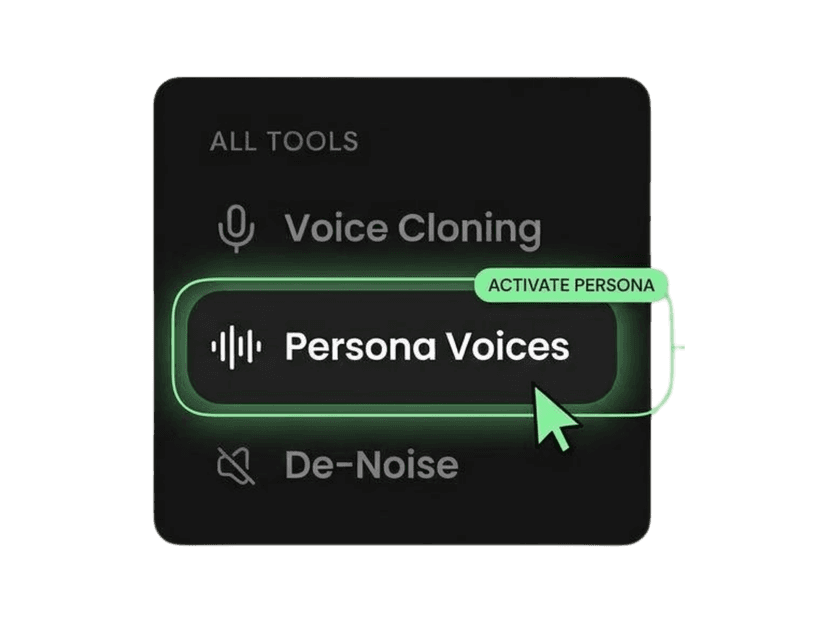
Ouvrir les Voix Persona
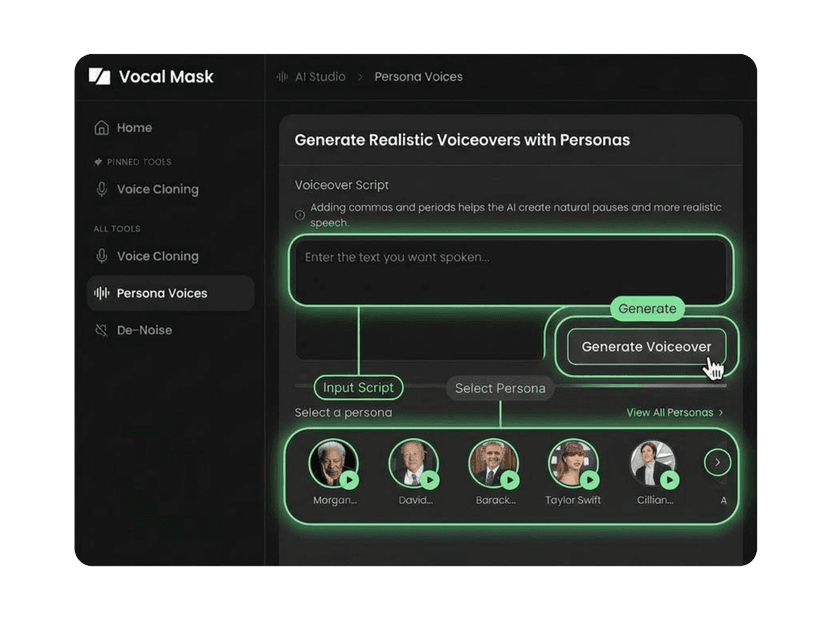
Sélectionner le préréglage Guy Pearce
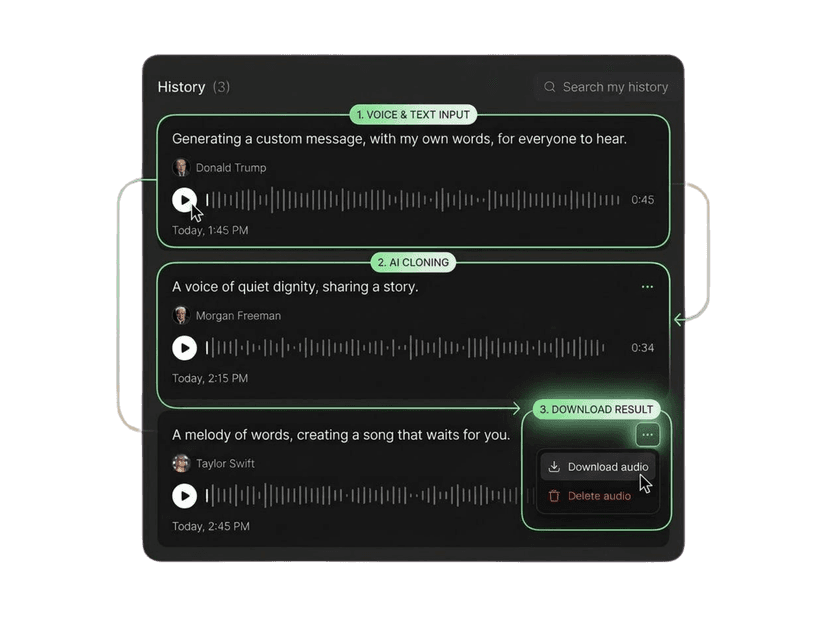
Coller le texte et générer
Plus de voix IA comme celle-ci
Plus de préréglages de style acteur
Plus de préréglages de style auteur
Plus de préréglages de style doubleur
Besoin de votre propre voix au lieu d'un préréglage ? Utilisez Cloneur de voix avec un audio dont vous avez les droits.
Ce que disent nos utilisateurs
Rejoignez des millions d'utilisateurs dans le monde entier. Découvrez ce que les gens disent de VocalMask.
“Le clonage vocal est incroyablement bon.”
J'ai téléchargé un court extrait et j'ai obtenu un clone propre rapidement. Le résultat sonnait naturel et conservait vraiment le ton.
“Les voix de persona m'ont fait gagner des heures.”
Choisir une persona et générer une voix off est super fluide. Les aperçus sont rapides et j'adore qu'une seule voix soit jouée à la fois.
“De-Noise est indispensable pour mon flux de travail.”
J'ai nettoyé un enregistrement avec du bruit de fond et il est devenu beaucoup plus clair sans ruiner la voix. Un énorme atout pour les podcasts.
“L'expérience de génération est soignée.”
Même lorsque j'ai actualisé en cours de génération, l'élément "Génération..." est resté dans l'historique et l'audio final est apparu à la fin. Ce détail d'UX compte.
“Le clonage vocal est incroyablement bon.”
J'ai téléchargé un court extrait et j'ai obtenu un clone propre rapidement. Le résultat sonnait naturel et conservait vraiment le ton.
“Les voix de persona m'ont fait gagner des heures.”
Choisir une persona et générer une voix off est super fluide. Les aperçus sont rapides et j'adore qu'une seule voix soit jouée à la fois.
“De-Noise est indispensable pour mon flux de travail.”
J'ai nettoyé un enregistrement avec du bruit de fond et il est devenu beaucoup plus clair sans ruiner la voix. Un énorme atout pour les podcasts.
“L'expérience de génération est soignée.”
Même lorsque j'ai actualisé en cours de génération, l'élément "Génération..." est resté dans l'historique et l'audio final est apparu à la fin. Ce détail d'UX compte.
“Excellents résultats, surtout pour des voix off rapides.”
Les voix de persona sont puissantes et cohérentes. J'aimerais avoir encore plus de personas plus tard, mais celles qui existent sont déjà très utilisables.
“Le clonage vocal fonctionne bien avec une entrée claire.”
Meilleurs résultats lorsque mon échantillon est clair (comme prévu). Quand j'utilise un bon audio, la qualité du clone est excellente.
“De-Noise est rapide et efficace.”
Il a supprimé la plupart des bourdonnements et du bruit ambiant de mon fichier. J'ai fait une petite retouche manuelle après, mais dans l'ensemble, c'est vraiment solide.
“Excellents résultats, surtout pour des voix off rapides.”
Les voix de persona sont puissantes et cohérentes. J'aimerais avoir encore plus de personas plus tard, mais celles qui existent sont déjà très utilisables.
“Le clonage vocal fonctionne bien avec une entrée claire.”
Meilleurs résultats lorsque mon échantillon est clair (comme prévu). Quand j'utilise un bon audio, la qualité du clone est excellente.
“De-Noise est rapide et efficace.”
Il a supprimé la plupart des bourdonnements et du bruit ambiant de mon fichier. J'ai fait une petite retouche manuelle après, mais dans l'ensemble, c'est vraiment solide.
Voix IA Guy Pearce — questions fréquentes
Réponses précises sur les crédits VocalMask, l'utilisation commerciale et le démarrage.
La voix AI de Guy Pearce sur VocalMask est un préréglage conçu pour reproduire son style vocal distinct, connu pour sa douceur et sa profondeur émotionnelle. Elle est parfaite pour une variété de projets créatifs : pensez à une narration engageante dans des vidéos ou à des tons invitants dans des livres audio.
VocalMask offre des crédits d'inscription qui vous permettent d'explorer la voix AI de Guy Pearce sans coût initial. Cependant, gardez à l'esprit qu'il peut y avoir des frais pour une utilisation prolongée au-delà des crédits fournis lors de l'inscription.
Bien que vous puissiez utiliser la voix AI de Guy Pearce pour divers projets, l'utilisation commerciale est soumise aux Conditions d'utilisation de VocalMask. Assurez-vous de consulter leurs réglementations pour garantir le respect des accords de licence.
Absolument ! La voix AI de Guy Pearce est parfaite pour des plateformes comme YouTube et TikTok. Vous pouvez créer des sketchs engageants, des tutoriels ou du contenu narratif qui se distingue grâce à son style vocal captivant.
Pour commencer à utiliser la voix AI de Guy Pearce, inscrivez-vous pour un compte VocalMask. Une fois enregistré, accédez à la bibliothèque de voix, sélectionnez le préréglage de Guy Pearce et commencez à créer vos voix off uniques.
En tant qu'utilisateur, vous êtes responsable de garantir le respect de toutes les exigences légales lors de l'utilisation de la voix AI de Guy Pearce. Référez-vous toujours aux Conditions d'utilisation de VocalMask pour les directives et les conditions d'utilisation avant de poursuivre vos projets.
 VocalMask
Essayez le meilleur clonage vocal IA gratuitement
Clonez et concevez facilement des voix dans différents styles et langues. Commencez votre aventure aujourd'hui avec VocalMask et découvrez l'avenir du clonage vocal !