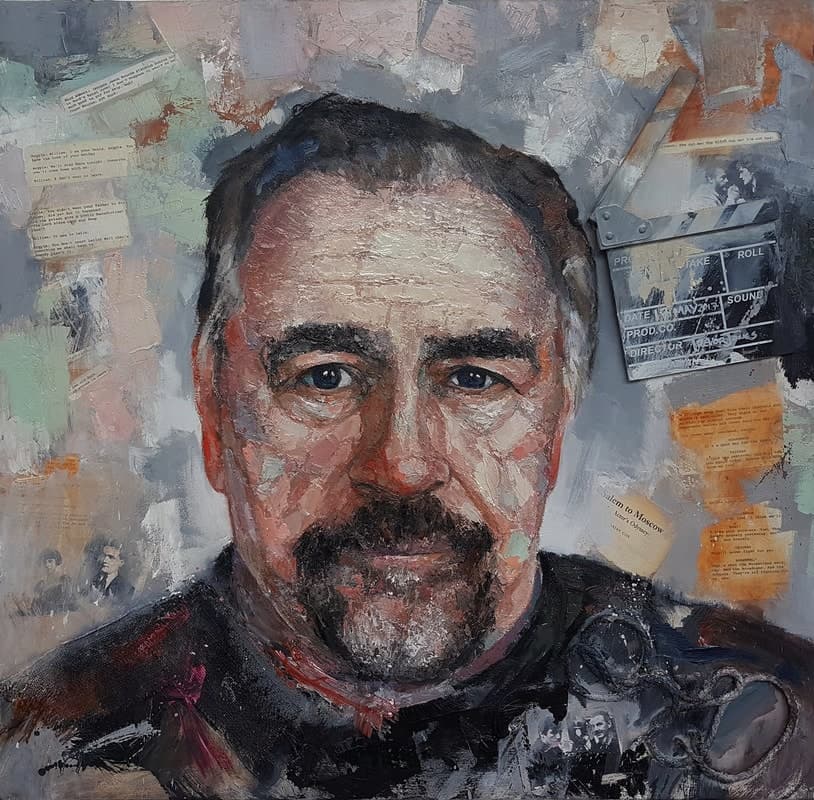
Free AI Voice Cloner & TTS Presets
Free Brian Cox AI Voice Generator
Renowned for his captivating storytelling and dramatic flair, Brian Cox's voice has a unique ability to draw listeners in. With a blend of authority and warmth, he effortlessly brings scenes to life, making every word resonate with emotion.
Whether narrating a powerful documentary or lending his talents to commercial projects, his style is unmistakable. Expect rich tones and a commanding presence that captivates audiences, creating a memorable experience with each voiceover.
Renowned for his captivating storytelling and dramatic flair, Brian Cox's voice has a unique ability to draw listeners in. With a blend of authority and warmth, he effortlessly brings scenes to life, making every word resonate with emotion.
Whether narrating a powerful documentary or lending his talents to commercial projects, his style is unmistakable. Expect rich tones and a commanding presence that captivates audiences, creating a memorable experience with each voiceover.
New accounts include credits to try persona voice generation at no cost. Additional use may require purchasing credits — see pricing after sign-up.
Persona presets are for creative voiceover workflows on VocalMask. You are responsible for lawful, non-misleading use. VocalMask does not claim affiliation with any real person. See Terms of Service. Terms of Service · Privacy.
Hear example lines in this style
Sample scripts below were written for this preset. Audio is generated with VocalMask's persona engine (reference sample + your text).
“The universe is vast, but my coffee is stronger.”
“I once tried to understand a cat. Spoiler: I failed.”
“Is it just me, or do black holes have better social lives?”
“I told the stars my secrets, but they never gossip.”
When this type of voice works well
- Perfect for narrating documentaries or educational content.
- Great for commercials needing a touch of gravitas and charm.
- Ideal for podcasts and audiobooks that require engaging storytelling.
How to Generate Brian Cox AI Voice from Text?
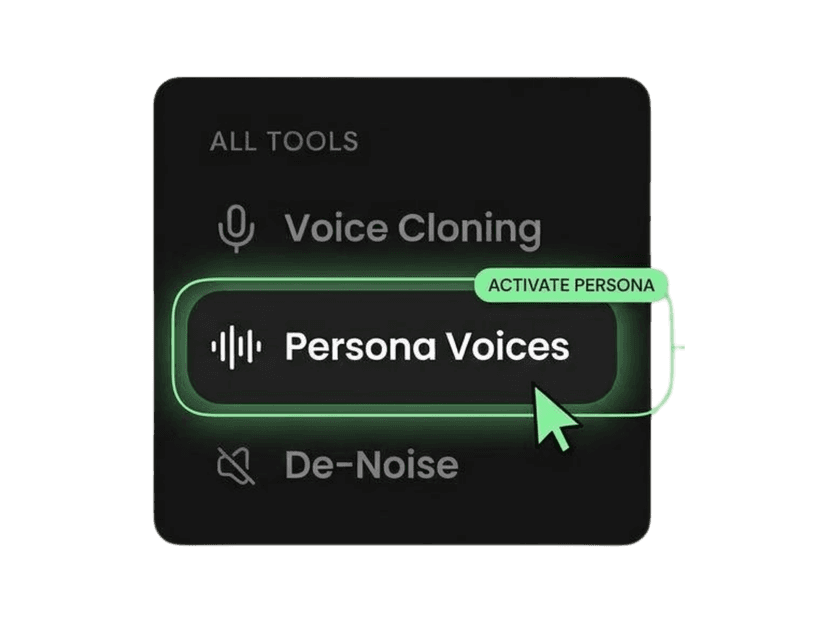
Open Persona Voices
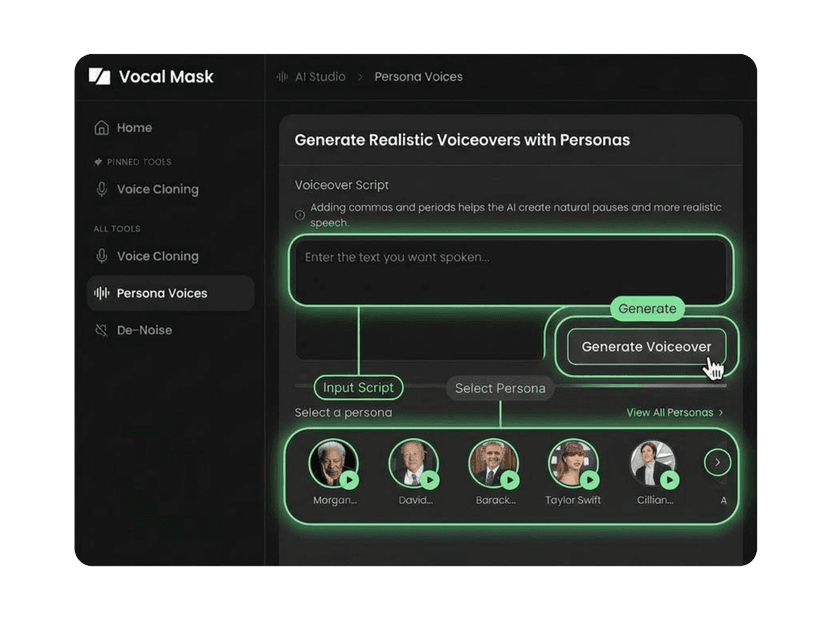
Select the Brian Cox preset
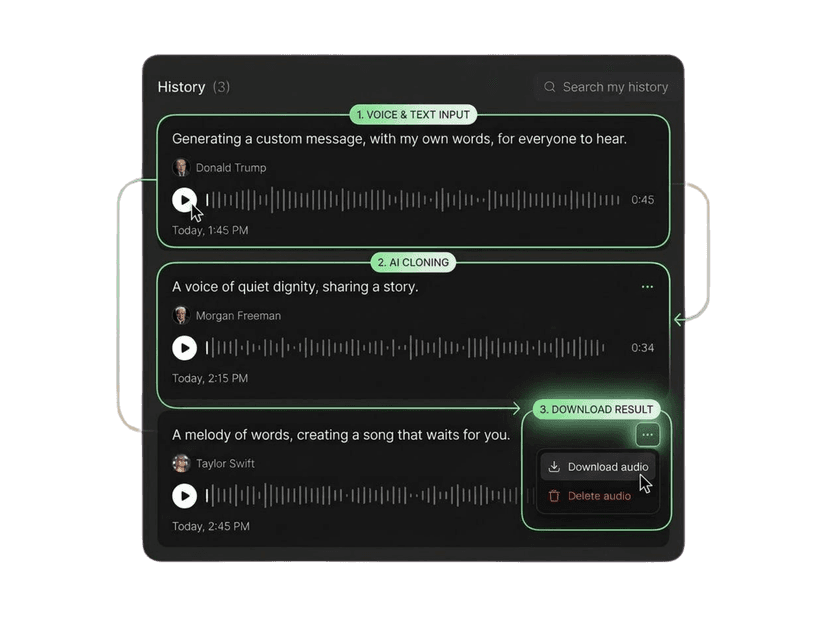
Paste text and generate
More AI voices like this
More actor-style presets
More voice actor-style presets
More public figure-style presets
Need your own voice instead of a preset? Use Voice Cloner with audio you have rights to use.
What Our Users Say
Join millions of users worldwide. See what people are saying about VocalMask.
“Voice cloning is shockingly good.”
I uploaded a short sample and got a clean clone fast. The result sounded natural and kept the tone really well.
“Persona voices saved me hours.”
Picking a persona and generating a voiceover is super smooth. The previews are fast and I love that only one voice plays at a time.
“De-Noise is a must-have for my workflow.”
I cleaned up a recording with background noise and it came out way clearer without ruining the voice. Huge win for podcasts.
“The generation experience feels polished.”
Even when I refreshed mid-generation, the "Generating…" item stayed in history and the final audio appeared when done. That UX detail matters.
“Voice cloning is shockingly good.”
I uploaded a short sample and got a clean clone fast. The result sounded natural and kept the tone really well.
“Persona voices saved me hours.”
Picking a persona and generating a voiceover is super smooth. The previews are fast and I love that only one voice plays at a time.
“De-Noise is a must-have for my workflow.”
I cleaned up a recording with background noise and it came out way clearer without ruining the voice. Huge win for podcasts.
“The generation experience feels polished.”
Even when I refreshed mid-generation, the "Generating…" item stayed in history and the final audio appeared when done. That UX detail matters.
“Great results, especially for quick voiceovers.”
The persona voices are strong and consistent. I'd love even more personas later, but what's there is already very usable.
“Voice cloning works well with clean input.”
Best results when my sample is clear (as expected). When I use good audio, the clone quality is excellent.
“De-Noise is fast and effective.”
It removed most of the hum and room noise from my file. I still did a tiny manual touch-up afterward, but overall it's really solid.
“Great results, especially for quick voiceovers.”
The persona voices are strong and consistent. I'd love even more personas later, but what's there is already very usable.
“Voice cloning works well with clean input.”
Best results when my sample is clear (as expected). When I use good audio, the clone quality is excellent.
“De-Noise is fast and effective.”
It removed most of the hum and room noise from my file. I still did a tiny manual touch-up afterward, but overall it's really solid.
Brian Cox AI voice — common questions
Accurate answers about VocalMask credits, commercial use, and getting started.
The Brian Cox AI voice on VocalMask is a preset that captures his distinct storytelling style, providing you with an engaging and dramatic voice for your projects. It can be used in various applications, from content creation to advertising.
While the Brian Cox voice itself isn't free, you can sign up for VocalMask and receive credits that help you explore different AI voices, including this one. Check the terms for any additional costs.
Using the Brian Cox AI voice for commercial purposes is subject to VocalMask's Terms of Service. Please review the terms carefully to understand your rights and responsibilities regarding any commercial use.
Yes, you can use the Brian Cox AI voice for YouTube and TikTok projects! Just ensure to adhere to VocalMask's guidelines and policies when creating your content.
To start, sign up for an account on VocalMask. From there, explore the available voices, select the Brian Cox preset, and experiment with creating your voiceovers. The platform is user-friendly and intuitive!
When using the Brian Cox AI voice, you are responsible for compliance with all relevant copyright and licensing laws. Make sure to familiarize yourself with VocalMask's Terms to ensure you stay within guidelines.
 VocalMask
Try Out the Best AI Voice Cloning for Free
Easily clone and design voices in various styles and languages. Start your journey today with VocalMask and experience the future of voice cloning!